I held off writing this post honestly more out of laziness than anything else, but also because I wanted to make sure that my replacement setup was going to hold out in the short-medium term, and thankfully, it seems to be. Let's catch you up...
The eMachines Box is no stranger to problems. I've already had to replace the hard drive on it twice, going with a (freshly twenty-year-old) 250GB WD Caviar drive at first, and then when that gave up, simply going with a modern SSD plugged into an IDE-to-SATA adapter. That's still working great, but I started to encounter another issue with it which, while not completely incapacitating the machine, has made it so I can't reliably have it on.
This all started about a month ago, freshly after coming home from the trip. I got up, was motivated to write a 2,000 word short story introducing the Somnolescent Archives as a place and Miranda, its steward, as a character (read that on toyhou.se here, it was fun to write!), and the moment I go to copy it over to my more modern computer (this is relative, my daily driver is still over 12 years old), it goes kaput. It won't even POST. All I got was fan power and the standby LED, and occasionally a Num Lock light on the keyboard.
After verifying the monitor was fine, I started stripping the machine to the most minimal config it would need to POST, just the motherboard, power supply, a keyboard, and a video output. Absolutely nothing. I started thumbing through the manual for the Intel motherboard in the eMachines Box, nothing that I got none of the error codes and diagnostic information it said I would in the event of a POST failure.
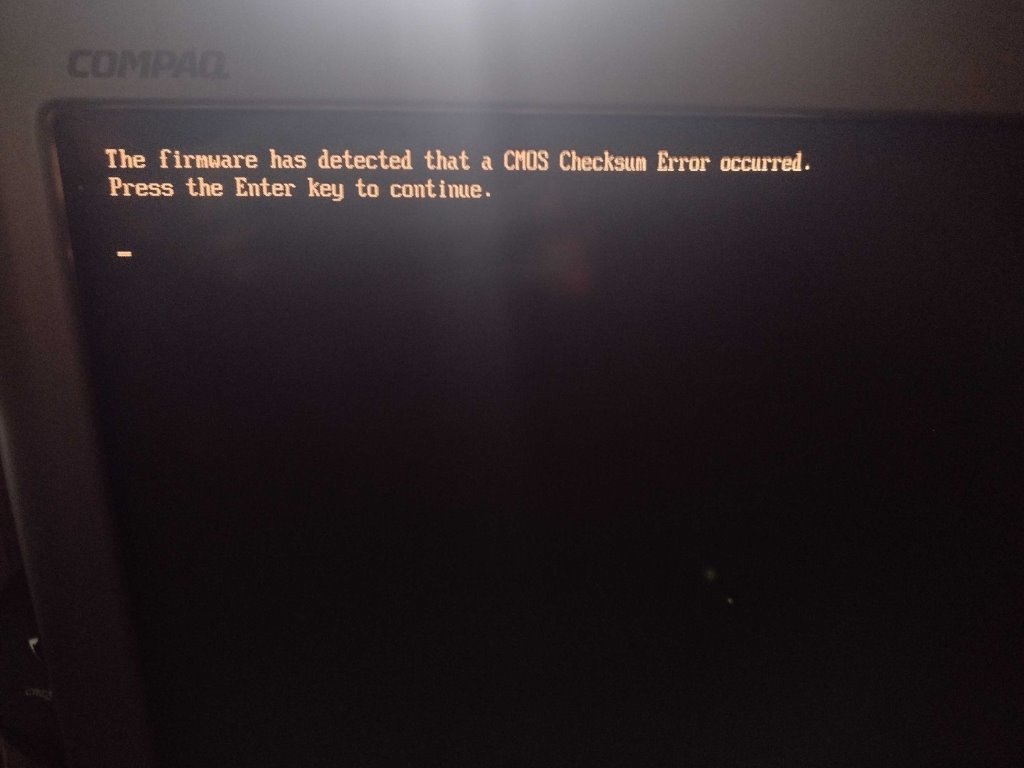
It was at this moment that I thought to pop out the CMOS battery, and lo and behold, it sprung back to life! The eMachines Box is one of those machines that will not boot with a dead CMOS battery, it seems—but this was a red herring. The battery was easy to replace, just a generic CR2032 watch battery you can get anywhere. The next morning, I got the exact same kaput-and-only-boots-without-the-battery rigmarole, but now with a fresh CMOS battery. It seems that's not at fault.
My guess now is that the power supply is failing. The computer works fully when it's up, but erratic uptime and random, serious-looking failures would suggest to me that the ancient power supply that's in there is finally giving up and maybe corrupting the CMOS settings with its instability. There's no sign of damage to any of the caps, so I don't think it's that. Plus, power supplies are not known to age gracefully, and this is a risk with any vintage computer. They just weren't meant to last forever.
I do intend on replacing the power supply, but it's not my area of expertise and I'm not trying to spend a ton of money right now for a part I'm not sure will have everything I need on it and might not be the right form factor and etc etc, so it'll have to wait.
The entire thing has honestly given me pause for thought as to why I retrocompute in the first place, and what else scratches that itch. The eMachines Box has become the closest computer to my heart that I've ever owned, save for my twelve-year-old daily driver iMac. That one's fuzzy to me because of everything we've done together—this is fuzzy to me because it's a window back into all the ways I dinked around with a cheap Celeron custom-build as a child before we started getting Macs. It's been fun to game on! It's not doing Half-Life 2, but GoldSrc and Unreal 1 games run great on it, as did Red Faction and the Tony Hawk's games. It's fun to write on, it's fun to make websites on, it's fun to do a bit of vintage browsing on. It's an adorable little anemic computer.
I'm also fully aware that it is an eMachines, however. It was cheap at the time, and they're not known for being long-lived workhorse machines. I knew years ago that every day could potentially be the day something blows on it, just like a car, and while I could replace that, someday, it'll be something not worth replacing, like the whole motherboard. At the same time, while XP-era machines are certainly still common and cheap, the deluge of people like me nostalgic for them, and kids who want to be nostalgic for them, means it's getting more difficult to source out especially good video cards and period RAM.
XP was a long era in computing, though, and it overlapped significantly with the early years of Windows 7. That got me thinking of a potentially much more powerful late 2000s-early 2010s XP/7 dual-boot I could build or retrofit one day. I got many hours on 7 the same way as I have XP and 10, and while I'm not head over heels fuzzy for it like I am XP, a lot of the games I like to play were released either just before or during its reign, games like Skyrim and Minecraft and anything on The Orange Box. I'm not sure there's a video card out there that'd both let Skyrim fly and has XP drivers, but I'd be curious to investigate that further anyway. That'd be a cool way to enjoy two eras of retrocomputing I like a lot under one machine.
What's my immediate fix, though? The eMachines Laptop I bring to Wales every year is now cosplaying as a desktop! I got a PS/2-to-USB adapter which, after I actually plugged the cables into it in securely, has been working great, and I got it set up with the VGA CRT and network cable and speakers, and here we are! I'm writing to you from it right now. I initially had some trouble getting it to run only on the one monitor, but that's just because I always forget about the Intel-specific display settings as opposed to the ones built into Windows. While it does have double the RAM, it only has an integrated GPU which is significantly worse than even the Radeon Xpress 200 chipset in the eMachines Box. You're getting playable, but not a solid 60, framerates on UT99 at 800x600, and I dare not stress it further.
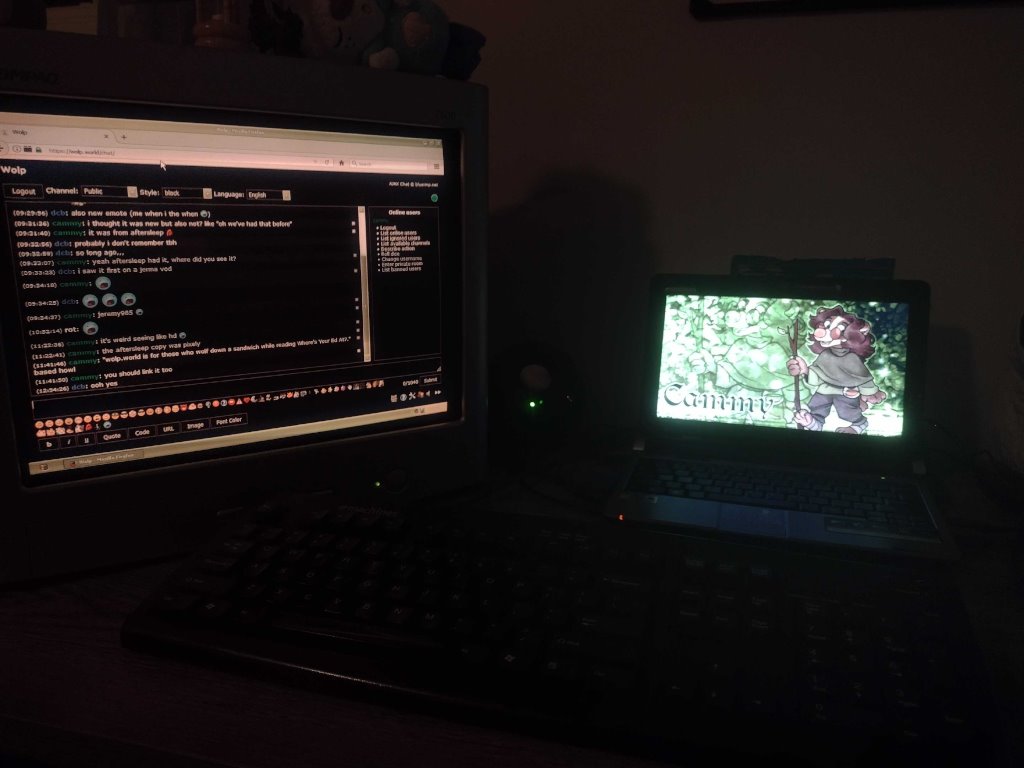
This was how I had it configured for a few days before I thought to check in the Intel display driver settings. I was not a fan of how cluttered my desk was, nor how half-assed XP's dual-monitor support is. It's now under the desk with a bunch of wires coming off it like GLaDOS, the way it should be.
It'll work for now, though, and I've got it set up basically like how the eMachines Box was with my custom XP themes and network shares and all that. I do miss the nice DVD-ROM drive, but if I really really need to rip something, I can swap all the cables over, the eMachines Box can survive for a 45 minute session.
I just have to remember that these computers have a shelf life, and while I get attached to the specific machines, they're replaceable. There's always something out there that can carry forth the good times I have with them and facilitate new ones as well, with newer games and heavier-duty computing (XP video editing rig someday, perhaps?). Enjoy them while they're here, and keep your mind open as to what cool things you can have after them as well.
Tagged under: emachines box tech